
RetroArch
Advertisement
Games Overview
RetroArch APK is the ultimate emulator hub for Android, offering multi-console support, NetPlay, shaders, save states, and full customization for retro gaming enthusiasts.
Table of Contents
RetroArch APK: The Ultimate Emulator Hub for Android and Beyond
In today’s digital age, gaming has evolved far beyond the confines of consoles and PCs. Gamers are increasingly looking for versatile platforms that allow them to relive classic games and explore indie titles from multiple systems, all in one place. Enter RetroArch APK, the ultimate all-in-one emulator solution for Android and other devices. Built on the powerful Libretro development interface, RetroArch delivers a seamless gaming experience that combines nostalgia, flexibility, and innovation.
What is RetroArch APK?
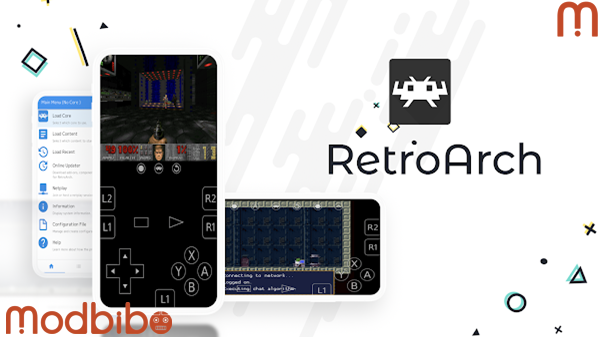
RetroArch APK is an open-source emulator platform that allows you to run games from a wide variety of consoles, ranging from retro classics to more modern systems. Instead of downloading individual emulators for each console, RetroArch consolidates all your gaming needs into a single app. Through its modular “cores,” you can emulate systems like NES, SNES, Game Boy, PlayStation, and more. Each core functions as a dedicated emulator, ensuring compatibility and optimal performance.
The RetroArch APK Android version is specifically optimized for mobile devices, allowing users to enjoy an immersive gaming experience on their phones, tablets, and even Android TV.
Key Features of RetroArch APK
1. Multi-System Compatibility
One of RetroArch’s standout features is its ability to support numerous gaming systems. The APK version allows Android users to access hundreds of cores for systems like:
-
NES, SNES, Game Boy, Game Boy Advance
-
PlayStation 1 & 2, PSP
-
Sega Genesis, Dreamcast
-
MAME arcade systems
-
And many more
With over 80+ cores and counting, RetroArch APK ensures that your favorite classic games are always within reach.
Advertisement
2. Cross-Platform Functionality
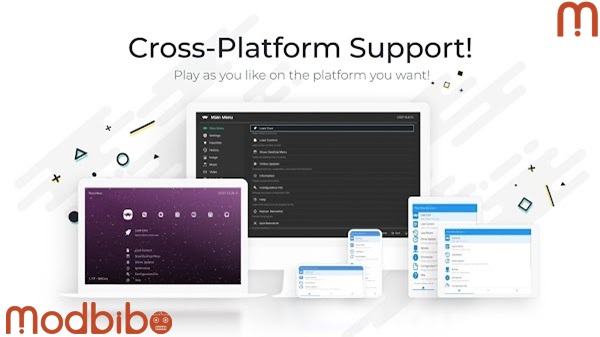
RetroArch APK isn’t just for Android. Thanks to Libretro, it works across Windows, Mac, Linux, iOS, and gaming consoles like PlayStation and Nintendo Switch. This cross-platform approach allows for seamless gameplay between devices. You can start a game on your phone and continue it on your Android TV or PC.
3. Enhanced Graphics & Shaders
RetroArch APK offers extensive visual customization options. Utilize OpenGL support and apply shaders for retro CRT effects, high-resolution scaling, and dynamic lighting. Whether you want the authentic pixel-perfect retro look or modern enhancements, RetroArch APK adapts to your preferences.
4. Flexible Controls & Input Mapping
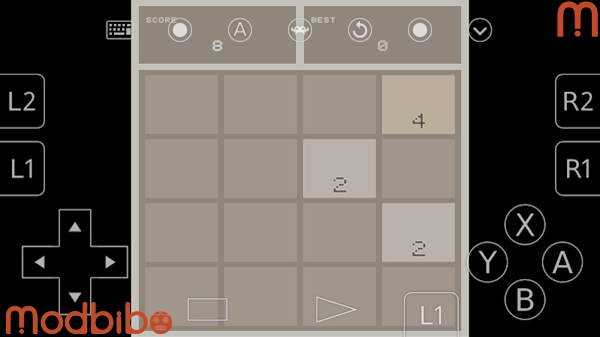
Whether you’re playing on touch-screen Android devices, connecting a Bluetooth controller, or using Android TV controllers, RetroArch APK allows complete input mapping. Remap buttons, configure multiple controller types, and ensure smooth, responsive gameplay.
5. NetPlay Multiplayer
RetroArch APK supports NetPlay, enabling multiplayer gameplay online. Connect with friends or the RetroArch community to enjoy cooperative or competitive matches. This feature brings retro games to a modern, social gaming context.
6. Save States & Cheat Codes
Never worry about losing progress again. Save and load states allow precise control over your gaming experience, while built-in cheat support lets you experiment and enjoy classic games in new ways.
7. No Ads, DRM-Free, Open Source
The APK version of RetroArch is fully open-source, free from ads, and DRM-free. Enjoy uninterrupted gaming and full access to all features without restrictions. Its community-driven development ensures constant updates and improvements.
8. Mobile-Specific Features
The RetroArch APK Android version is optimized for touch controls, small screens, and Android-specific features. It is compatible with devices running Android 4.4, Android 5.0, Android 5.1, and even Android 14, ensuring wide accessibility.
Why RetroArch APK Stands Out
The beauty of RetroArch APK lies in its all-in-one functionality. Unlike standalone emulators, RetroArch consolidates multiple gaming systems, customizations, and community features in one application. This reduces clutter, simplifies updates, and provides a unified interface for gamers of all skill levels.
Some users prefer the Play Store version for convenience, but the APK version unlocks the full potential of RetroArch, including the Core Downloader, support for over 127 cores, and the ability to manually manage updates for maximum flexibility. Additionally, RetroArch APK can be integrated with online resources like RetroArch APK Internet Archive, allowing gamers to expand their library legally and efficiently.
Supported Devices & Compatibility
RetroArch APK is compatible with a wide range of devices:
-
Android smartphones and tablets (RetroArch APK Android, RetroArch APK Android 4.4, Android 5.0/5.1, Android 14)
-
Android TV (RetroArch APK Android TV)
-
Other Android-based gaming systems
The APK is optimized for both older and modern Android versions, making it accessible for users with diverse devices. It also provides cloud save support, letting you sync progress across multiple devices.
Advertisement
Installation & Use
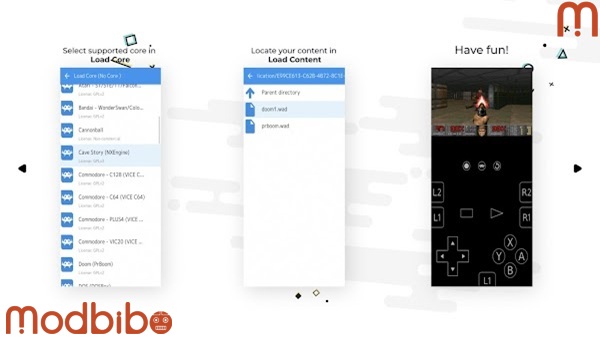
While this article does not cover download or installation steps, RetroArch APK is designed to be user-friendly. Once installed, users can easily select cores, configure settings, and start gaming within minutes. The APK interface is intuitive, offering tutorials, tips, and a full range of customization options.
Community & Support
RetroArch APK thrives on its active, global community. Whether you need help setting up a core, configuring shaders, or connecting via NetPlay, there are countless resources available:
-
Official Discord channels for live support and matchmaking
-
YouTube tutorials for game-specific walkthroughs and core setup
The community also contributes custom shaders, enhanced cores, and plugins, ensuring RetroArch APK remains at the cutting edge of retro gaming emulation.
Latest Version & Updates
The RetroArch APK latest version offers constant improvements in performance, compatibility, and interface design. Regular updates ensure that new cores are added, old cores are optimized, and bug fixes are applied swiftly. Users can choose the APK version to enjoy early access to these features or wait for the Play Store release.
Why RetroArch APK is Perfect for Retro Gamers
RetroArch APK transforms your Android device into a portable retro gaming console. Its flexibility, customization, and extensive library make it perfect for gamers seeking nostalgia or discovering retro titles for the first time. With features like NetPlay, save states, cheat support, and shader effects, RetroArch APK combines authenticity with modern enhancements.
Conclusion
RetroArch APK isn’t just an emulator—it’s a comprehensive gaming hub for Android and beyond. Its extensive compatibility, open-source freedom, community support, and robust feature set make it a must-have for retro gaming enthusiasts. Whether you’re on a smartphone, tablet, or Android TV, RetroArch APK brings decades of gaming history directly to your fingertips.
Keywords naturally included: retroarch apk, retroarch apk download, retroarch apk android, retroarch apk mod, retroarch apk download for android, retroarch apk android tv, retroarch apk latest version, retroarch apk internet archive, retroarch apk android download, retroarch apk android 4.4, retroarch apk android 5.1, retroarch apk android 5.0, retroarch apk android 14.